Scheduler
The Scheduler is where you plan when your posts go out, around the windows when your audience is most active. It maps out your week; it does not publish for you. You still write and post on X yourself.
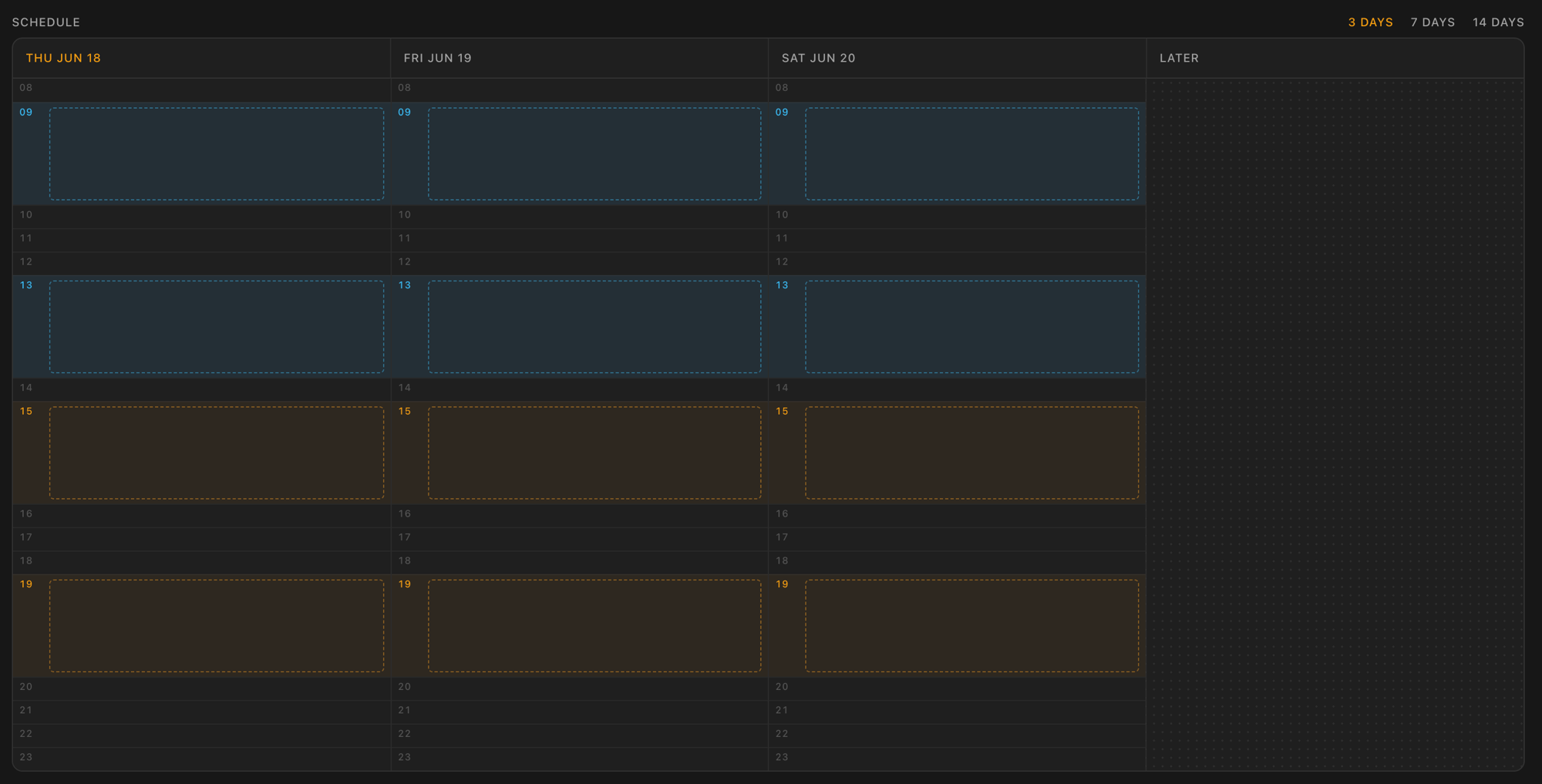
The board
A strip of day columns, each split into hourly slots. View 3, 7, or 14 days at a time and drag items around to plan your rhythm:
- Drop on an hour slot to set that exact time, drop on a day to drop it at noon, or drop it into Later to park it with no fixed time.
- Overdue collects anything whose time has passed, and Later holds anything beyond the visible window. You can move items out of Overdue, but you cannot drag into it.
- Quick actions on each card let you mark an item posted or remove it without opening it.
- On mobile, press and hold a card to pick it up. A quick swipe scrolls the days instead.
The idea workspace
Below the board sits your idea workspace: the ideas you pinned in Studio, waiting for a slot. They are organized by the same pin groups as Studio, so you can filter to one group with the bar across the top. Drag a tile up onto the board to schedule it. When you have nothing pinned yet, it points you back to Studio.
Editing an item
Click any item (or New draft) to open its editor. Set the date and time down to 15-minute steps, and mark it posted once it is live.
- A plain draft is just a time and a note.
- An idea carried from Studio brings its full workspace: a tweet draft you can write and copy out, Proofread and Personalize to polish it in your voice, a Frame preview to design the image (desktop only), and its original Sources to reference.
Proofread and Personalize use your plan's usage. See how usage and billing work under Settings.
Settings
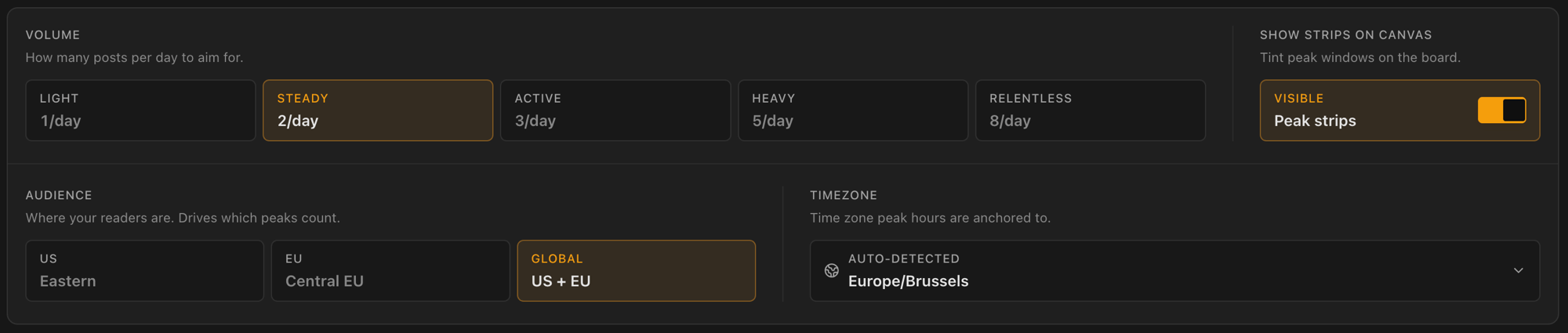
Open settings to tune the plan:
- Volume: how many posts a day to aim for. Light (1), Steady (2), Active (3), Heavy (5), or Relentless (8).
- Audience: where your readers are. US (Eastern), EU (Central EU), or Global (both). This drives which peak windows are highlighted on the board.
- Timezone: auto-detected from your browser, with a manual override and a reset back to detected.
- Peak strips: shaded bands marking the most active hours for your audience and volume. Toggle them on or off.
Designing the visual
To add an image to a scheduled idea, open it and expand Frame, or jump straight to Frame to design the visual.