Track
Deep-dive analytics for one account at a time: how it is growing and how its posts perform. Because MBER scrapes your own handle alongside the accounts you track, Track works on your own account and on anyone else you follow, so you can study your own performance and benchmark it against the accounts you care about.
What you can do:
- Switch accounts with a dropdown. It defaults to your own profile, and you can point it at any account you track.
- Read the stats bar: followers, following, posts stored, last collected, and the latest post time.
- Scan recent activity: a summary of the account's most notable recent moves, the categories it belongs to, and its top keywords.
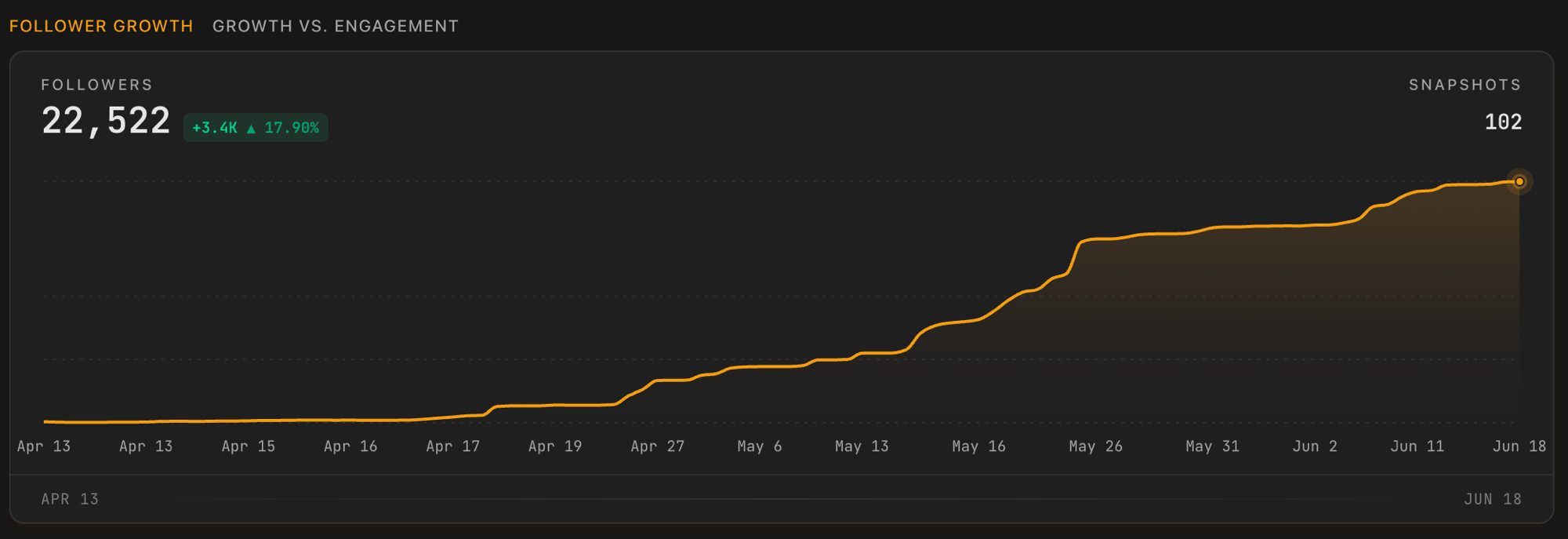
- See growth over time with a follower-growth line chart and a growth-versus- engagement view. Charts appear once MBER has at least two snapshots to compare.
- Browse latest posts for the selected account and time range, with the same sort and search controls as the Timeline.
note
Track vs Watchlist:
Track is for reading one account's analytics. To add, remove, or organize the accounts you watch, use Watchlist (see Settings).